A true isometric view, with Reset beside it
Isometric now uses parallel projection with equal scale on all three axes. Reset view sits beside it on desktop and phones and restores the default perspective framing.
Try the isometric view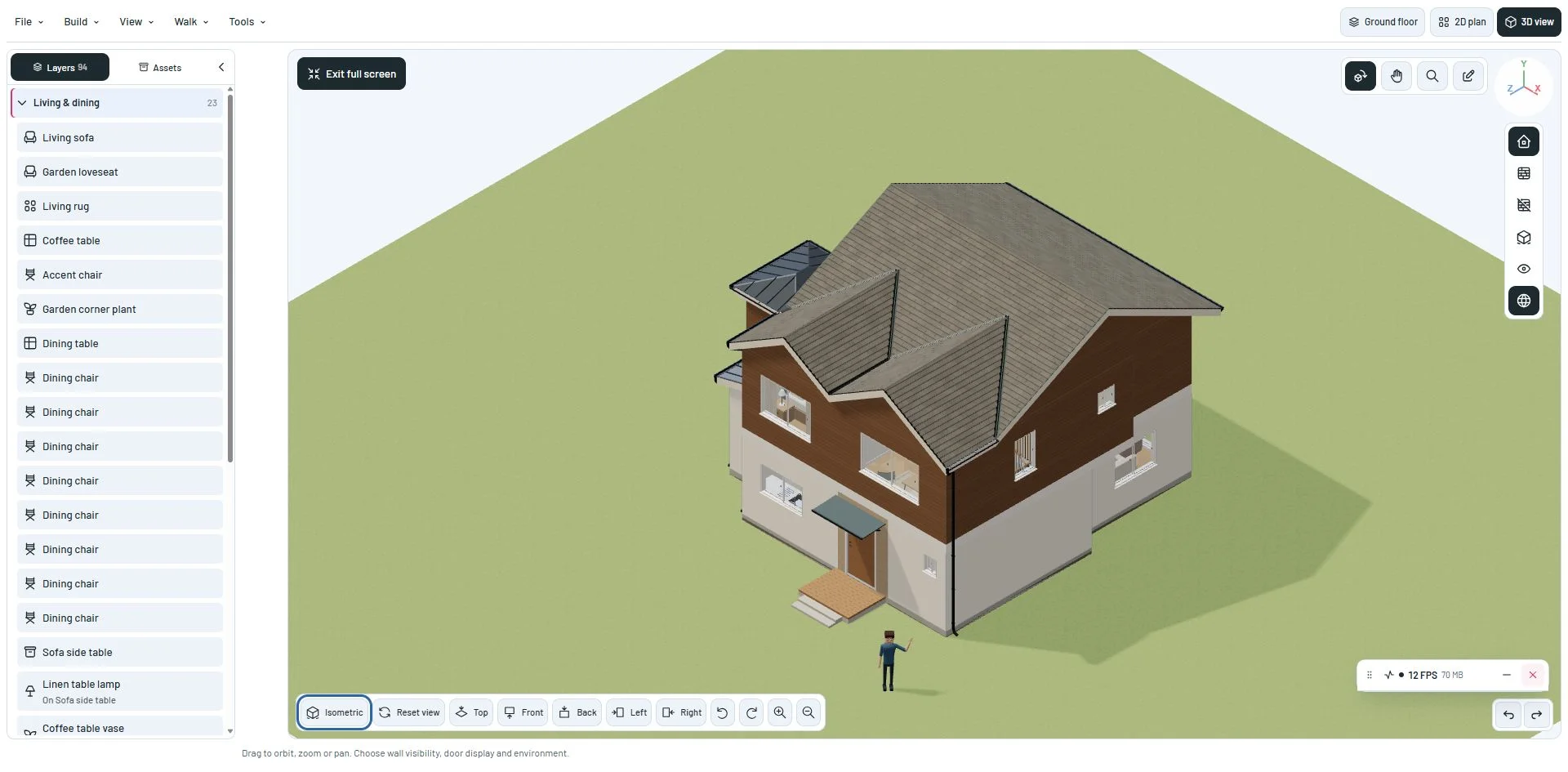
Choose your camera view
Isometric frames the visible building with equal foreshortening on X, Y and Z. Pan, orbit, wheel, zoom buttons and touch pinch work with the orthographic camera. Orbiting changes the angle; choose Isometric again to restore the equal-axis view.
Reset view returns to the default perspective composition. The two actions share the camera preset bar, including the mobile View controls panel.
Move between drawing and exploring
Switching to the 2D plan and back restores the previous 3D projection, position and zoom. Walk inside uses perspective for the first-person camera. The Blender export preserves the active orthographic span and zoom.
This milestone was documented on October 24, 2026 and added to the public history on October 24, 2026 at 1:31 AM GMT-3. Screenshots show the development state at the time. About this alpha history.