See what removing a roof piece will change
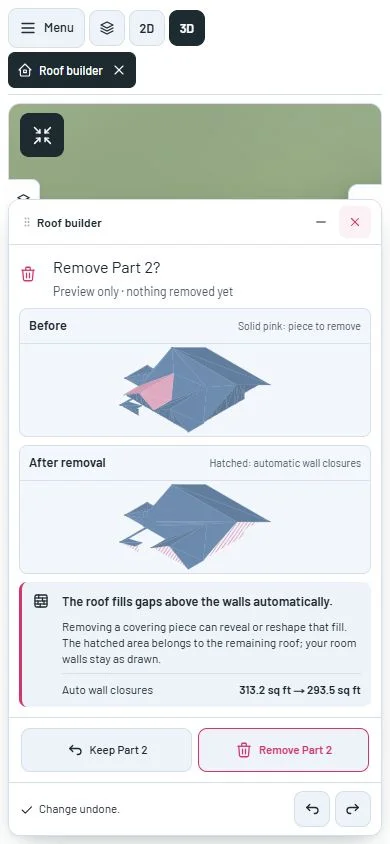
Compare the roof before and after removal, including the fill above supporting walls. Keep the piece, remove it, or undo without losing track of the remaining pieces.
Review a roof change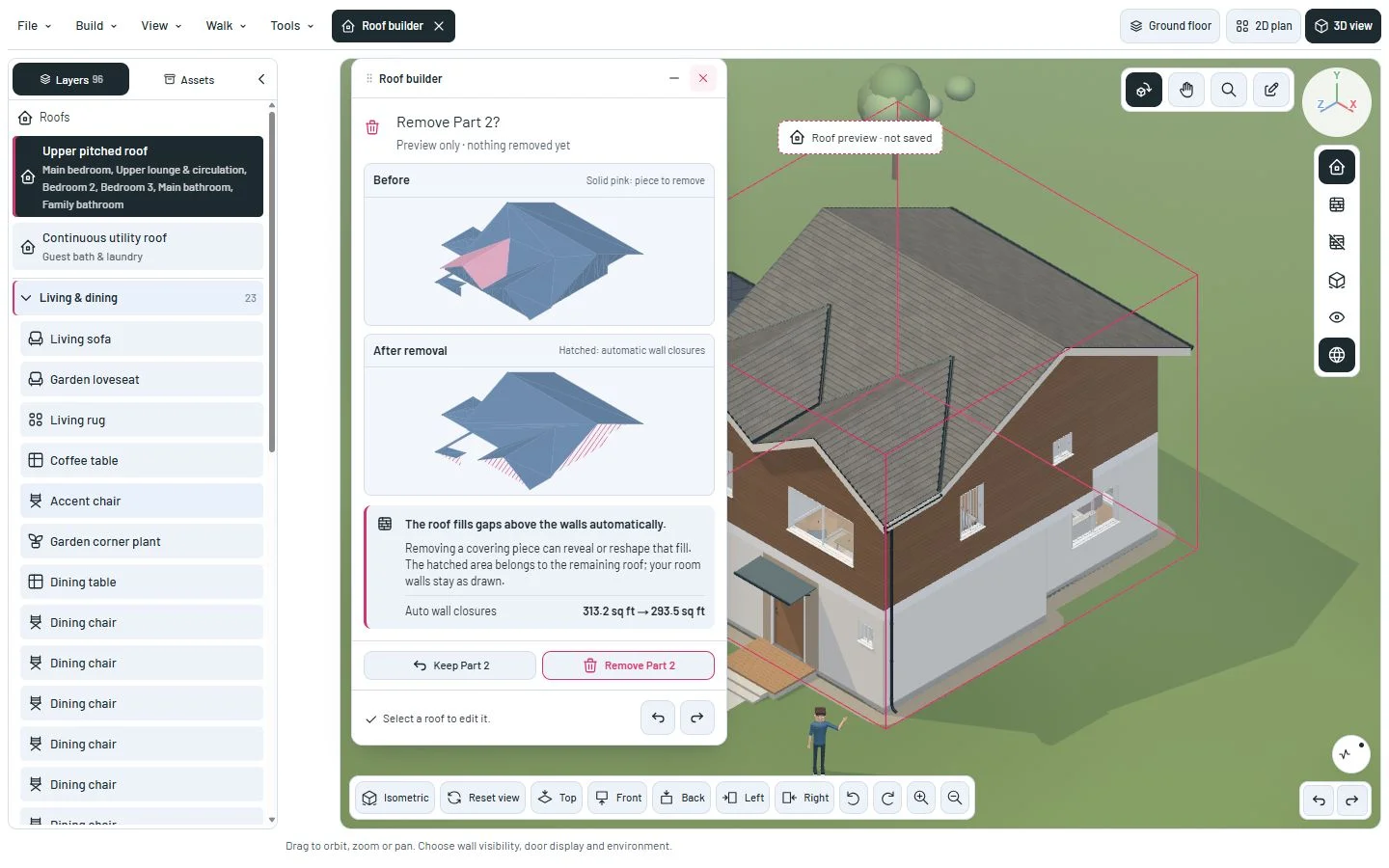
Understand the change before removing a piece
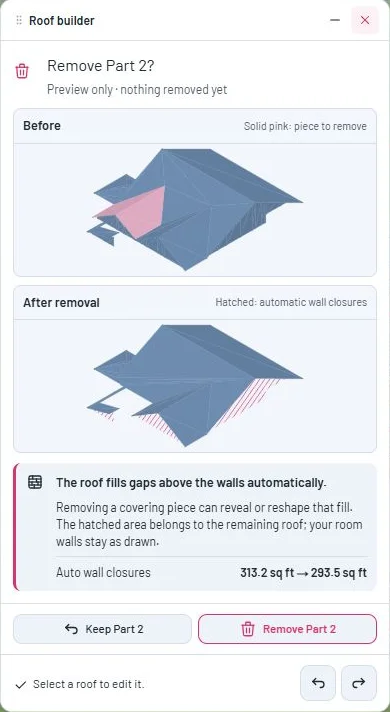
The roof automatically fills gaps between its supporting walls and its sloping surface. This closure belongs to the roof; it does not add a room wall. Removing an overlapping piece can expose or reshape it.
A delete button now opens a comparison with the same angle and scale. Solid pink marks the piece to remove; hatching marks the automatic closures in the result. The main scene stays unchanged while you review.
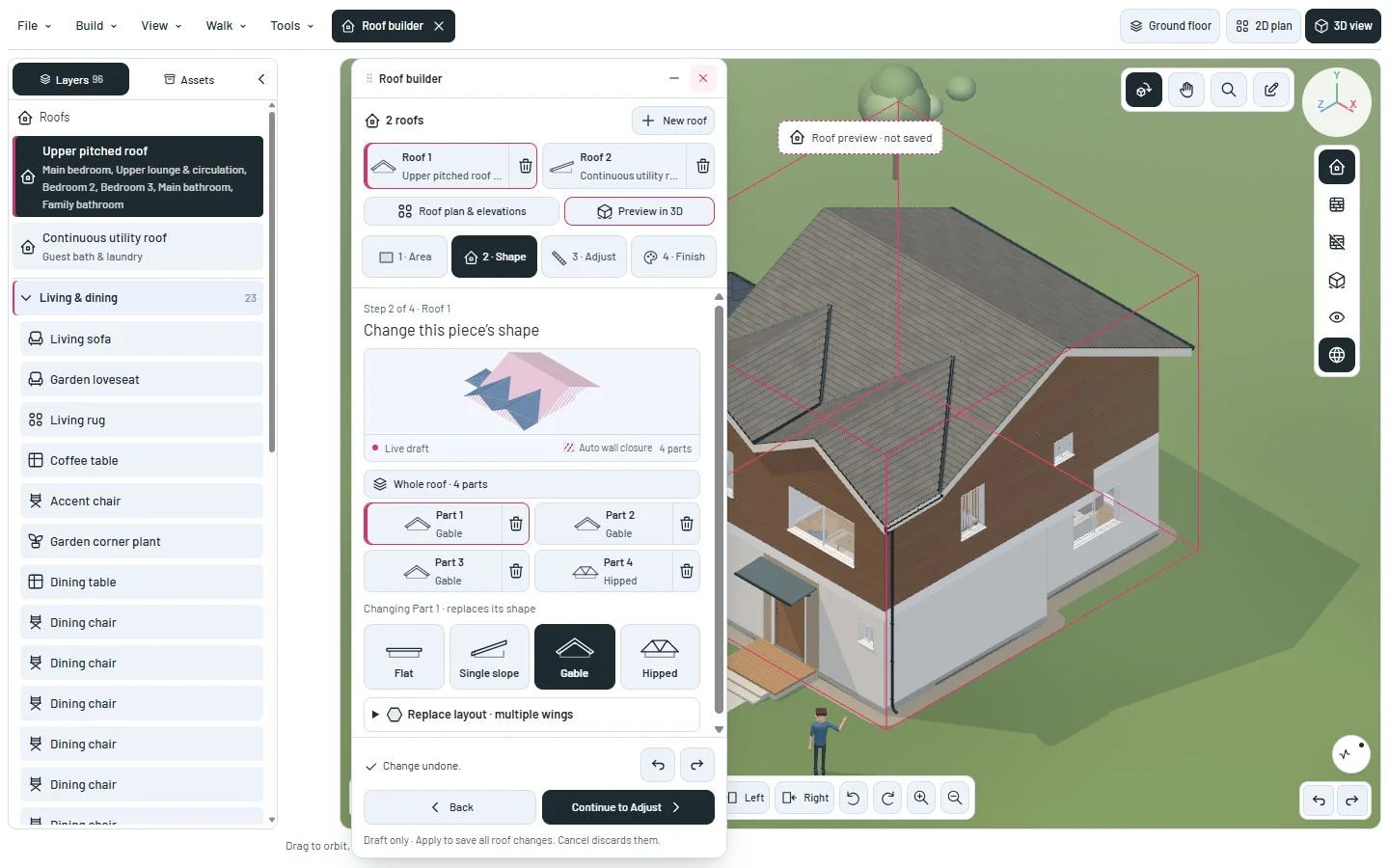
Keep the piece or press Escape to return. Remove changes the draft; Undo restores it. Apply roof changes saves the pending workspace as before.
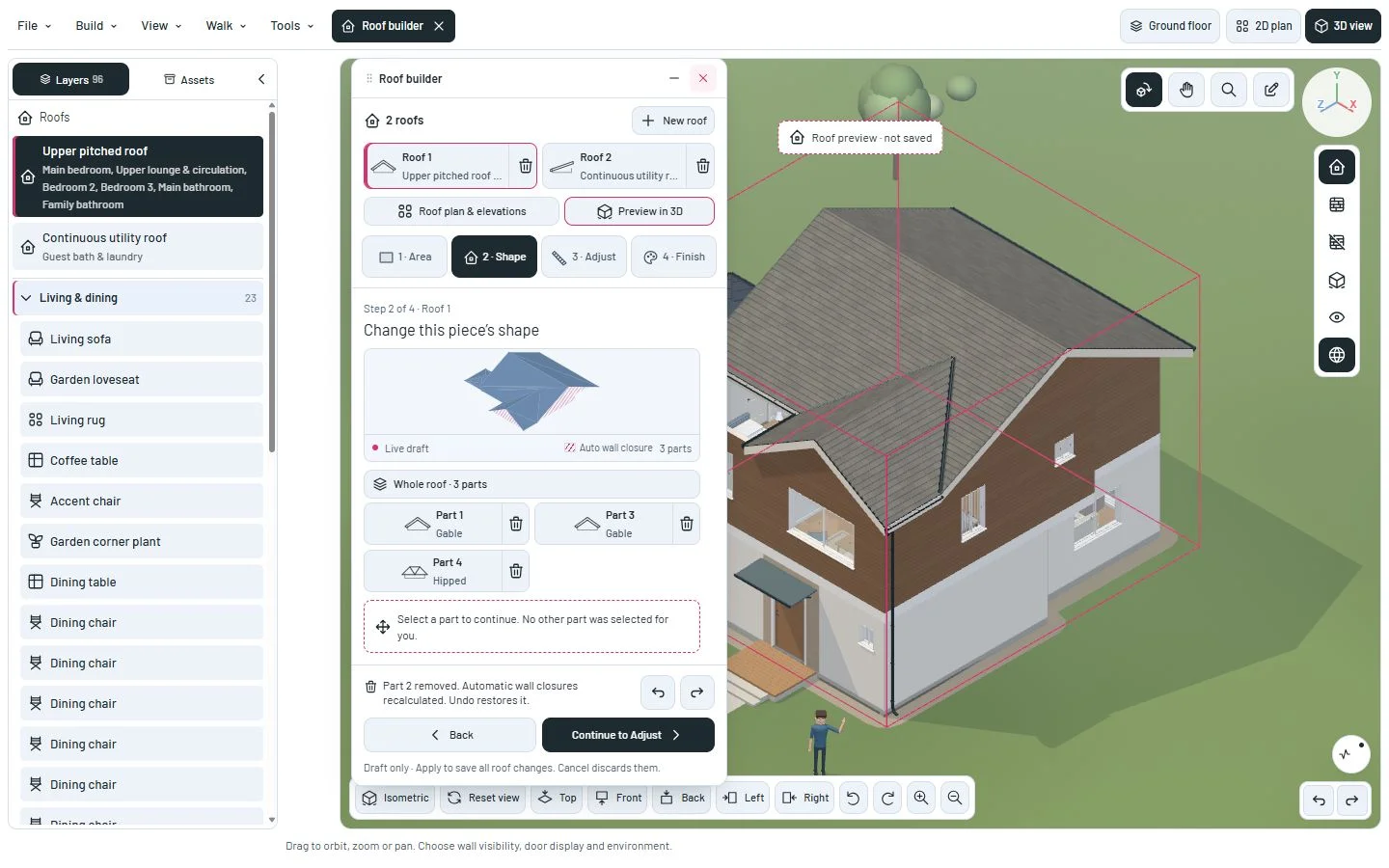
After removal, the editor asks you to choose a part or roof. It no longer selects another one for you. Numbers stay attached to their pieces: removing Part 2 leaves Parts 1, 3 and 4.
A geometry fix also prevents fully hidden duplicate pieces from suppressing the remaining roof’s wall closure. Removing a redundant duplicate now preserves that enclosure. Existing pieces are not automatically deleted.
A closer look
This milestone was documented on October 24, 2026 and added to the public history on October 24, 2026 at 10:06 AM GMT-3. Screenshots show the development state at the time. About this alpha history.