Draw open walls from the toolbar, with clearer tool icons
Draw wall now has its own open-ended wall icon and a direct place in the 2D toolbar. Drawing, selection, dimensions and camera controls use distinct symbols that explain their actions.
Try the drawing tools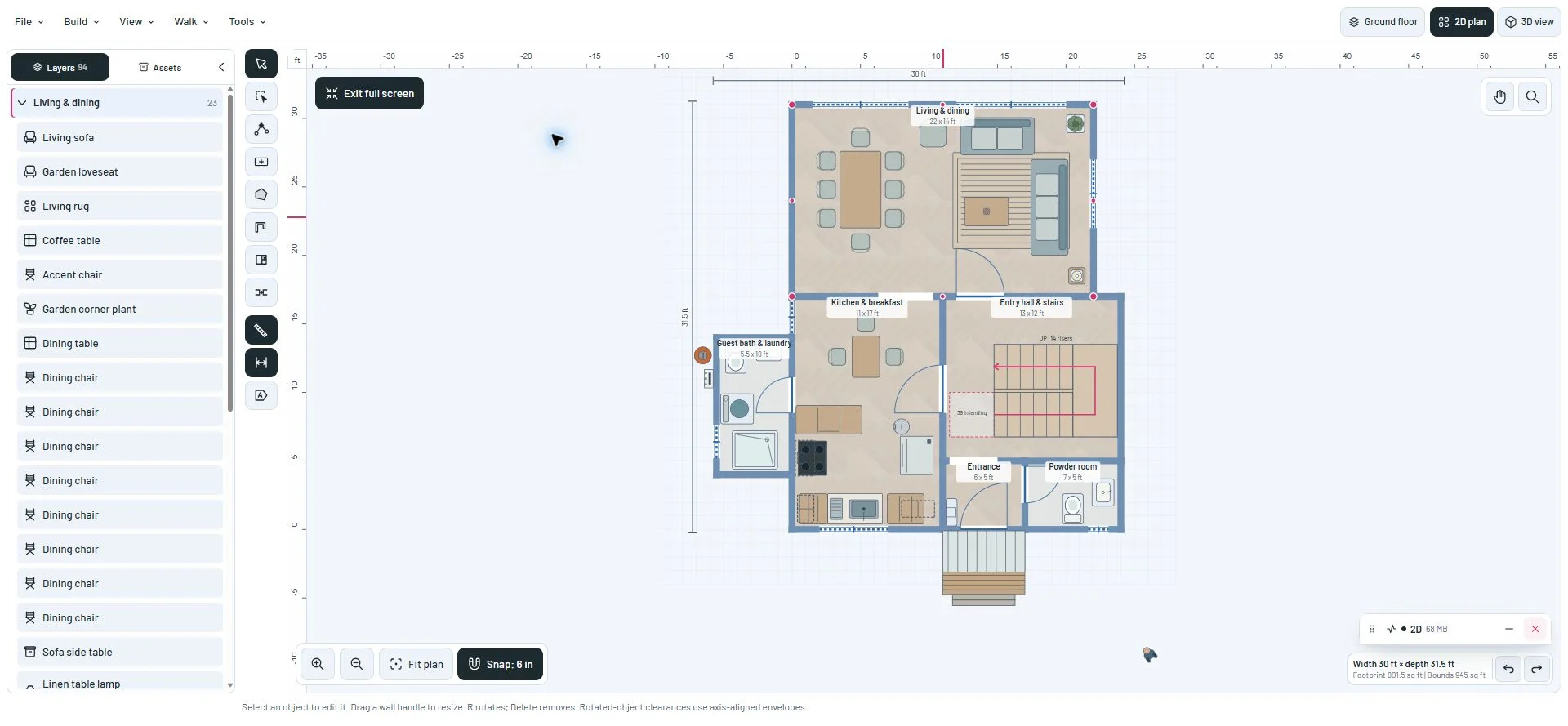
Find the right drawing action
Draw wall creates an open chain without closing a room. Its icon appears in the toolbar, Build menu and phone drawing controls. Wall opening has a different gap symbol and name, so it is easier to distinguish the two actions.
Box selection shows a dashed area and cursor; vertex editing shows an open line with a highlighted node. A wide rectangle with a plus and an irregular five-sided polygon distinguish the two room-drawing tools. On desktop, rulers, dimension guides and object labels now join the drawing tools in the left toolbar; pan and zoom stay above the plan. The controls remain available in the phone drawer.
Recognize the view you are choosing
Rulers, dimension guides and object labels have different symbols. Continuous zoom uses a plain magnifier, with plus and minus reserved for zoom steps.
Camera presets show a viewing surface and direction. The two camera rotation buttons use circular arrows instead of repeating the left and right view icons. Existing labels, tooltips and pressed states remain available.
A closer look
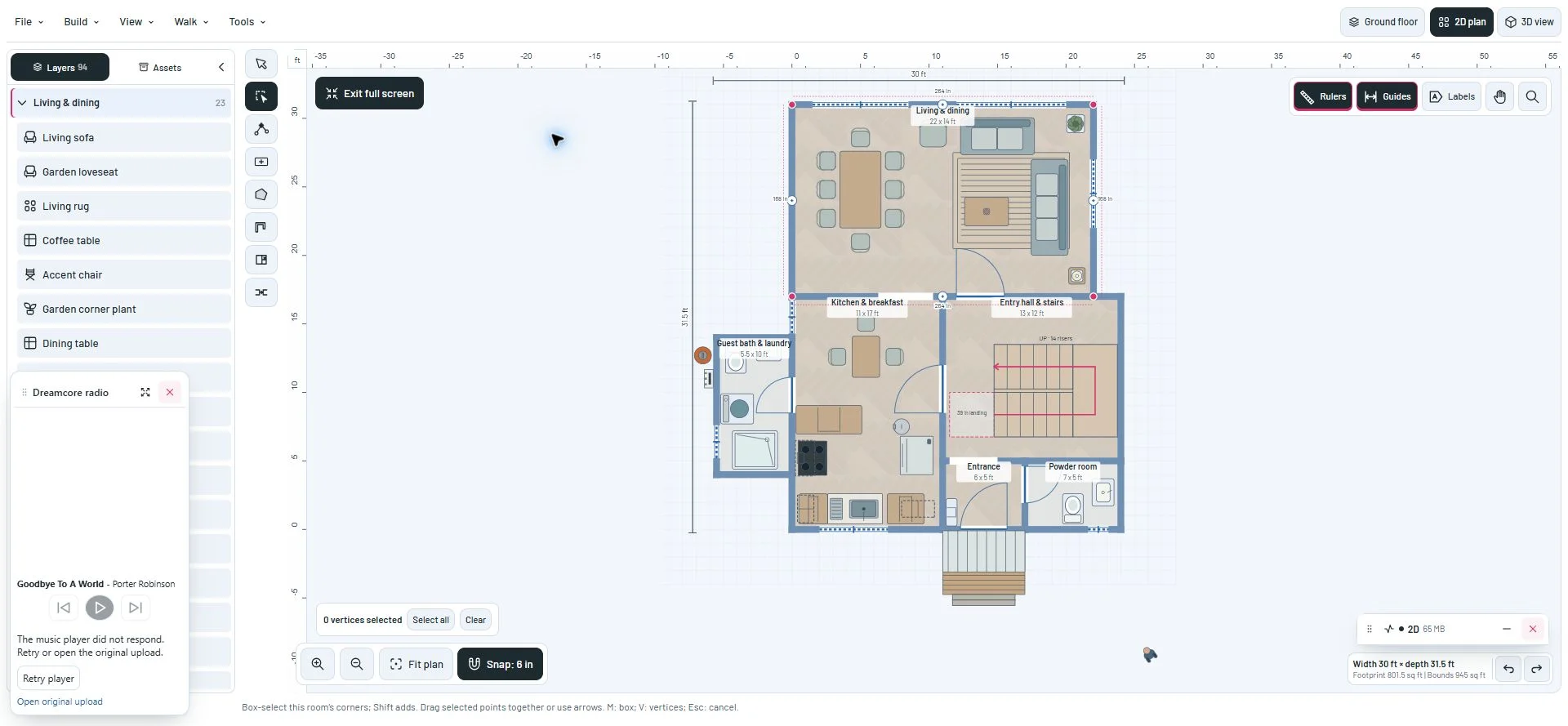
This milestone was documented on October 23, 2026 and added to the public history on October 23, 2026 at 11:37 PM GMT-3. Screenshots show the development state at the time. About this alpha history.