Draw L-shaped rooms one corner at a time
Trace a room with more than four corners in the real-wall plan, revise the sketch and close it as one measured, undoable change.
Draw a polygon room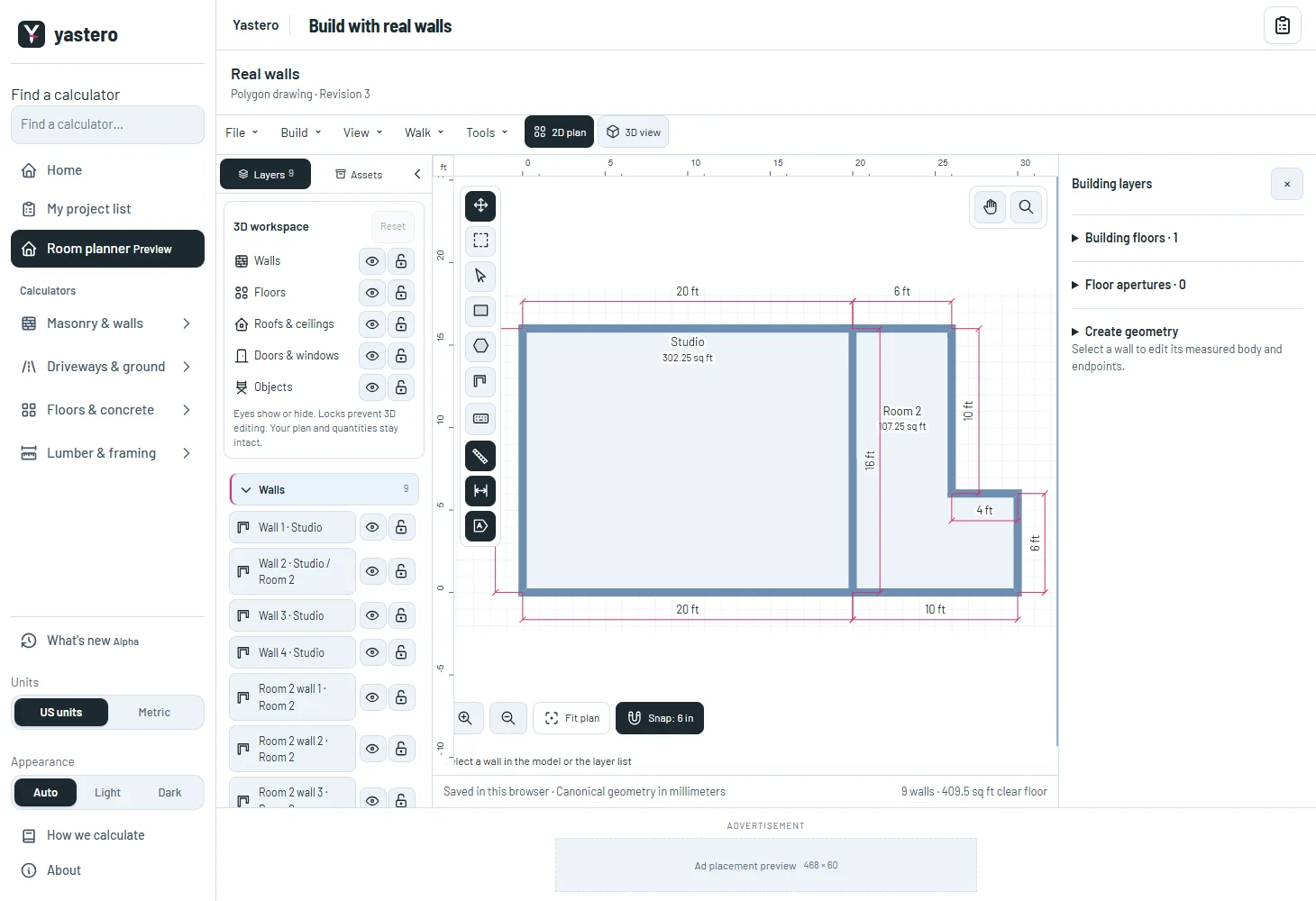
A sketch you can revise
Corners and the next side remain a temporary preview until you close the room. Undo corner and Backspace revise the sketch; Escape or Cancel discard it without changing the saved building.
An invalid overlapping room keeps its corners available for correction. Wall height and thickness come from the current reference room or wall, not a new structural specification.
Existing full or partial shared spans retain their wall identities. The room is saved only after validation and storage acknowledgement.
Keep the controls and the view usable
The phone drawer returns to the canvas, with reachable Undo corner, Close room and Cancel actions. Layer locks protect the room and any wall it touches. AI proposals wait while you draw.
Labels for concave rooms are placed inside their measured floor region, including floors with holes.
Example homes now load when needed, reducing the initial download while retaining the preset, reset and fresh-browser review flows. The real-wall editor remains opt-in while the remaining classic controls are transferred.
A closer look

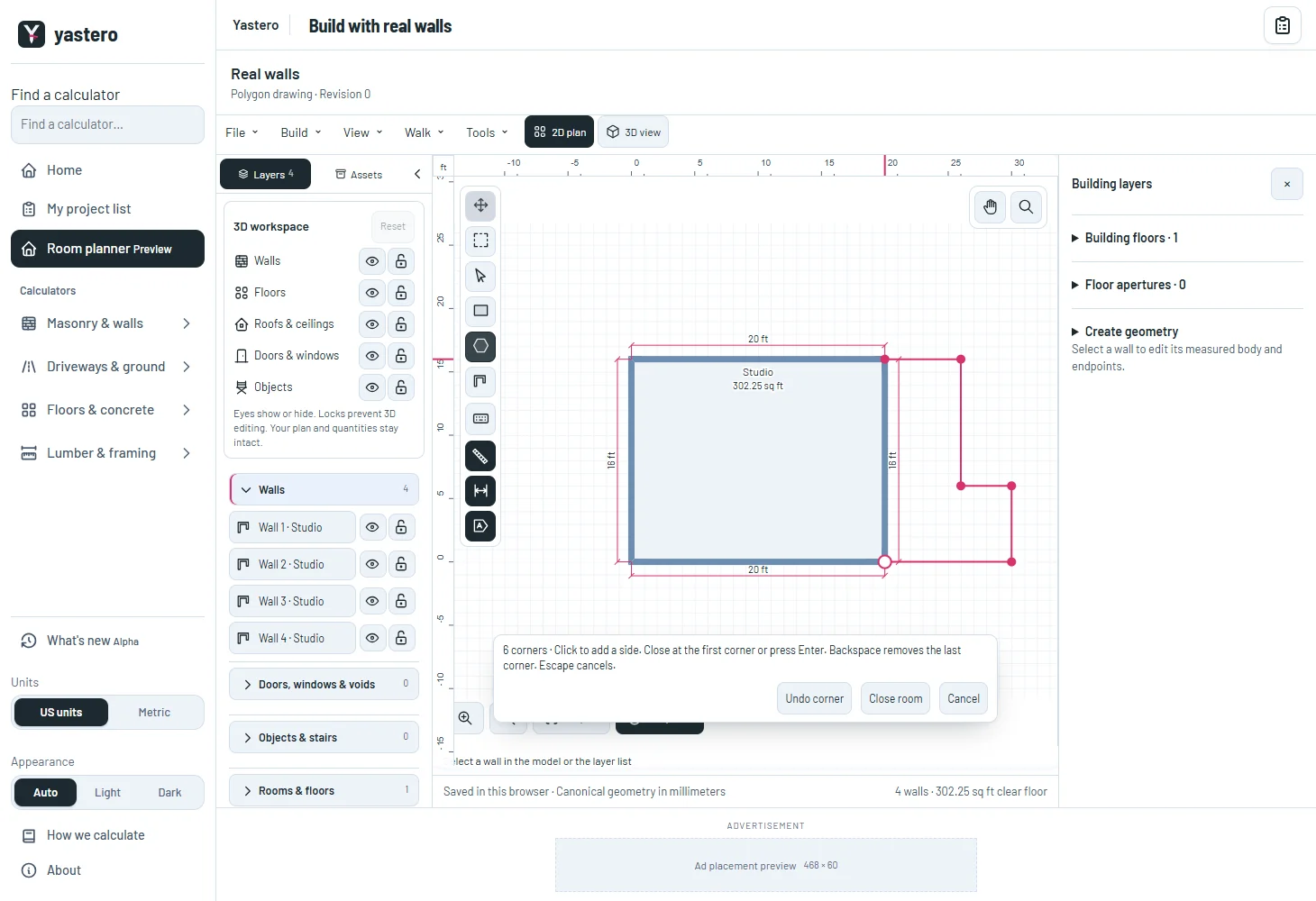
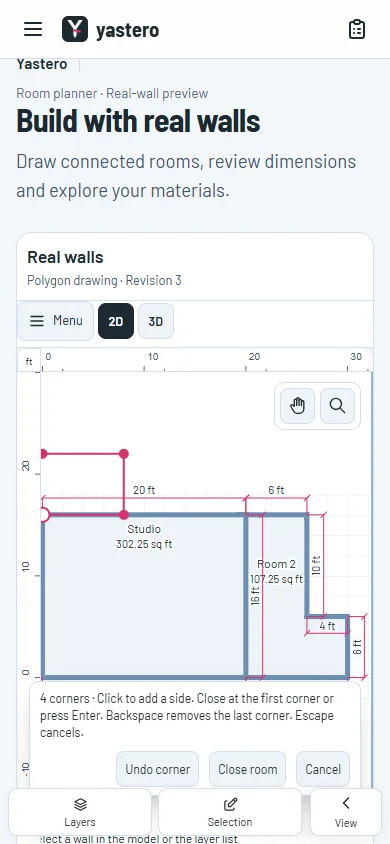
This milestone was documented on October 25, 2026 and added to the public history on October 25, 2026 at 11:34 PM GMT-3. Screenshots show the development state at the time. About this alpha history.